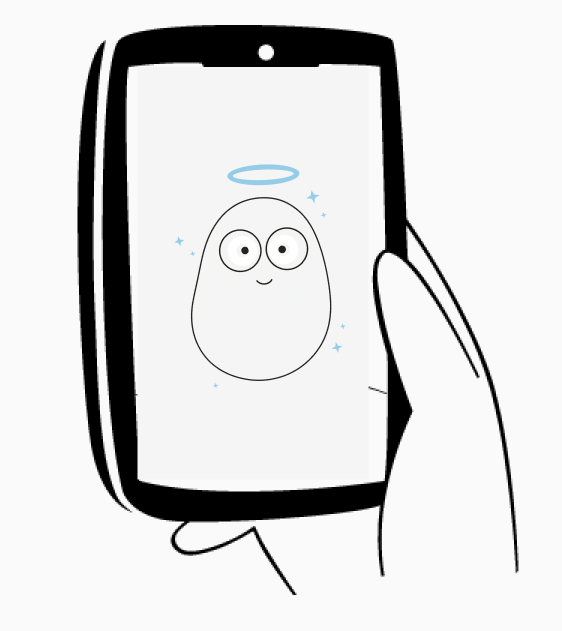
Virgua Community
Join a community of real people who are watching over each other by providing real-time updates about things happening in their area so you are always aware of your surroundings.

Swipe through the core Virgua moments first: community awareness, check-ins, live location, and SOS. When you are ready, open the full page for services, products, trust details, and contact.
Join a community of real people who are watching over each other by providing real-time updates about things happening in their area so you are always aware of your surroundings.
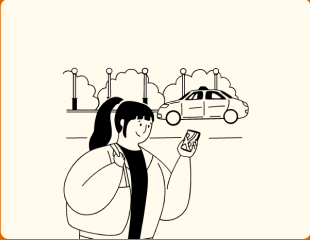
You do not have to be alone when you are going out for something serious or just having fun. Let Viel keep watch over you so if anything ever happens, your emergency contacts can quickly know.
Living alone can be really cool but scary too if no one knows something is wrong. Let Viel keep watch over you so if anything ever happens, your emergency contacts can quickly know.
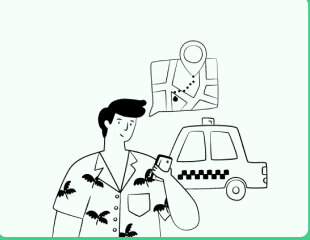
You can share your live location with friends, family and colleagues so they are able to see exactly where you are at each time of the day.

You do not have to be alone when you are in danger anymore because Viel can assist you by getting your emergency contacts instantly notified with the tap of a button.
How Virgua Technologies Limited collects, uses, protects, shares, and retains personal data across the app, admin panel, backend services, and website.
Virgua Technologies Limited ("Virgua", "we", "us" or "our") is committed to protecting the privacy and security of your personal data. This Privacy Policy explains the personal data we collect, how we collect and process it, how we use and protect it, and the rights you have when you use our mobile application, admin panel, backend services, and website (together, the "Platform").
Virgua is a personal safety companion that turns a smartphone into a virtual guardian. Because our service is safety-focused, we collect and process certain sensitive information, including real-time location data, to deliver our core features. We handle this information responsibly, lawfully, and transparently, in line with the Nigeria Data Protection Act 2023 (the "NDP Act") and the General Application and Implementation Directive 2025 ("GAID").
Data controller. Virgua Technologies Limited, a company registered in Nigeria (RC 9391970).
Privacy contact. For any privacy question or to exercise your rights, contact us at privacy@virgua.com. For general support, contact hello@virgua.com.
This Policy applies to everyone whose personal data we process, including account holders, mobile app users, website visitors, and the emergency contacts our users add. It covers all processing carried out through the Virgua Platform.
5.1 Identification data Full name as it appears on official identification, email address, phone number, date of birth, gender, residential address, a photo selfie, and an automatically generated User ID.
5.3 Biometric and photographic data A passport photograph and facial image used for identity verification. This is sensitive personal data and receives additional protection.
5.4 Location data Real-time GPS location during active sessions, historical location and movement during active check- ins, last known location when GPS is unavailable, and location captured at set intervals during check- in sessions. Location data is essential to our core safety features.
5.5 Session and activity data Activity and Personal Check-In details, Safe and Danger words, check-in PINs, Live Location sharing sessions, Emergency SOS activations with timestamps and location, and Virgua Community posts.
5.6 Emergency contact data The name, phone number, email, and relationship of the emergency contacts a user chooses to add, so we can reach them when the user needs help. Section 10 explains how we handle this data and the user's responsibility to obtain their contact's consent.
5.7 Device and technical data Device type, model and operating system, unique device identifiers, app version, IP address, login and app activity records, network connectivity, GPS signal availability, and system audit logs.
5.8 Payment and transaction data Virgua Wallet transaction history, subscription details, and payment records. Card and payment details are processed by our payment processor and are not stored by Virgua.
We collect personal data through the mobile application, the website, email, device GPS and sensors, third-party identity verification platforms, and API integrations. We also receive delivery information through our push notification and SMS providers. We collect emergency contact data from the user who adds them.
Every processing activity rests on a lawful basis under the NDP Act. The main bases we rely on are set out below.
Purpose                                                      Legal basis
 Core safety features such as check-ins, live location, and   Consent and contractual necessity
 SOS
 Escalating missed check-ins and SOS to emergency             Vital interest and consent
 contacts
 Identity verification and KYC                                Legal obligation and contractual necessity
 Fraud prevention, security, and service integrity            Legitimate interest
 Subscription and wallet payments                             Contractual necessity
 Service and safety notifications                             Contractual necessity and consent
 Product analytics and improvement                            Legitimate interest
 Marketing communications                                     Consent
Location is at the heart of Virgua, so we treat it with particular care. We collect location only to deliver safety features, and continuous monitoring runs during an active session. We use location to provide live location to your emergency contacts when triggered, to display your movement during a session, to enable the Share Live Location feature, and to deliver location-based community alerts. You control when a session runs, and you can end it at any time. Withdrawing consent to location processing will stop the core safety features from working.
Users add emergency contacts so that Virgua can reach them if the user misses a check-in, triggers an SOS, or indicates danger. We store the contact's name, phone number, email, and relationship for this purpose only. The user who adds a contact is responsible for obtaining that person's consent to be added. An emergency contact may ask us t o access or delete their details by contacting privacy@virgua.com, and we will act on that request.
We use an AI safety engine to analyse location and movement patterns and to help detect possible distress, predict a likely location when GPS is lost, and suggest safety measures. This processing supports our safety alerts and human decisions rather than making final decisions that produce legal or similarly significant effects on you by automated means alone. Where an automated output affects you, you may ask for human review by contacting privacy@virgua.com.
We share personal data only as needed to deliver the service and meet our legal obligations.
12.1 Third-party processors We use the trusted processors below, each bound by a data processing agreement and each able to access only the data needed for its service.
Processor                  Service provided                  Data accessed                    Location
 Google Cloud (Storage)     File and image storage            Avatars, ID documents, images    United States /
                                                                                               global
 Google (Gemini AI)         Safety risk analysis              Location and movement data       United States /
                                                                                               global
 Firebase Cloud             Push notifications                Device tokens, message content   United States /
 Messaging                                                                                     global
 Termii                     SMS alerts                        Phone numbers, alert content     Nigeria
 Paystack                   Payment processing                Payment and transaction data     Nigeria
Some of our processors store or process data outside Nigeria, mainly in the United States and other locations used by Google Cloud, Gemini, and Firebase. Where we transfer personal data abroad, we rely on safeguards permitted by the NDP Act, including standard contractual clauses and data processing terms, transfer only to processors that provide an adequate level of protection, private storage buckets accessed through time-limited signed URLs, and encryption of data in transit and at rest. Payment and SMS processing by Paystack and Termii takes place in Nigeria.
We apply technical and organisational measures to protect personal data against unauthorised access, disclosure, alteration, or loss. These include:
We keep personal data only for as long as we need it for the purpose it was collected, or for as long as the law requires. When a retention period ends, data is deleted or irreversibly anonymised. The schedule below sets out how long we keep the main categories of data.
Data category                   Retention period                                   Disposal method
 Active session data (activity   Removed from Active Sessions view 30 minutes       Automated permanent purge
 details, location history,      after ending; permanently deleted 48 hours after
 uploaded images)                the session ends
 Emergency alert links           Expire 48 hours after being generated              Link invalidated automatically
 shared with contacts
 Community posts                 Visible up to 24 hours, then cleared; removed      Automated purge and storage
                                 immediately on user or post deletion               object deletion
 System location logs            Up to 90 days for safety, audit, and security,     Scheduled deletion job
                                 then deleted
 Read notifications              30 days                                            Scheduled deletion job
 Account and identity or KYC     Account lifetime, then the statutory retention     Soft delete, then permanent
 records                         period required by law, after which deleted        purge
 Payment and transaction         As required by applicable financial and tax law    Per processor and legal
 records                                                                            schedule
 Profile media (avatars, ID      Until removed by the user or on account            Storage object deletion on
 documents)                      deletion                                           removal
 Backups                         Cycled on the backup schedule and then             Automated backup rotation
                                 overwritten or purged
Disposal is carried out through automated scheduled deletion jobs that combine soft deletion with a permanent purge, and through deletion of stored objects when an avatar or post is removed. We maintain a Data Retention and Disposal Policy that governs these practices.
Even with strong safeguards, a personal data breach can occur. We maintain a documented Data Breach Response Procedure so that any breach is detected, contained, assessed, reported, and reviewed without delay. Our commitments follow Section 40 of the NDP Act and Article 33 of GAID.
16.2 If you suspect a breach If you believe your data may have been compromised, contact us immediately at privacy@virgua.com so we can respond quickly.
Under the NDP Act, you have the following rights over your personal data. You can exercise most of them in the app through your profile and settings, or by contacting privacy@virgua.com.
The Platform is not intended for anyone under the age of 18 without verifiable parental or guardian consent. We do not knowingly collect data from a child under 18 without that consent, and if we learn that we have, we will delete it.
We may update this Policy from time to time. Changes take effect when we post the updated Policy in the app or on our website, and we keep a record of revisions for transparency. We encourage you to review this Policy periodically. Continued use of the Platform after an update means you accept the revised Policy.
Privacy matters and rights requests: privacy@virgua.com
General support: hello@virgua.com
Registered Company: Virgua Technologies Limited (RC 9391970), Lekki, Lagos.
If we cannot resolve your concern, you may contact the Nigeria Data Protection Commission (NDPC) to lodge a complaint.
This Policy is governed by the laws of the Federal Republic of Nigeria, in particular the Nigeria Data Protection Act 2023 and the General Application and Implementation Directive 2025, and any regulations or guidance issued by the Nigeria Data Protection Commission.
Last updated: July 2026.
The agreement governing use of the Virgua mobile app, safety features, subscriptions, community tools, wallet, and support services.
1.1. This Terms and Conditions agreement ("Agreement") governs the use of the Virgua mobile application ("App"), which is owned and operated by Virgua Technologies Limited ("Virgua", "we", "us", or "our"). By downloading, installing, or using the App, you agree to comply with and be bound by these Terms and Conditions ("Terms"), which govern your use of the App. Please read these Terms carefully before using the App.
1.2. Virgua is a Virtual Guardian Angel mobile application designed to transform your smartphone into a personal safety companion. The App features Viel, your personal guardian within the app, which watches over you through intelligent safety features including real-time location sharing with trusted contacts, automatic check-ins during your commutes, one-tap emergency alerts, and proactive safety notifications based on your surroundings.
1.3. These Terms outline the rights and responsibilities of Users who interact with the App, including registering for accounts, activating check-in sessions, sharing live locations, using emergency features, participating in the Virgua Community, and engaging in other forms of interaction facilitated by the platform. By using the App, you acknowledge that you have read, understood, and agreed to these Terms.
1.4. If you do not agree to these Terms or any portion thereof, you should not download, install, or use the App. Your continued use of the App constitutes your acceptance of these Terms and any modifications thereto.
1.5. We reserve the right to modify, amend, or update these Terms at any time without prior notice. Any changes to these Terms will be effective immediately upon posting within the App or on our website. It is your responsibility to review these Terms periodically for updates or changes. Your continued use of the App following the posting of any changes constitutes acceptance of those changes.
1.6. If you have any questions or concerns about these Terms or the App, please contact us at hello@virgua.com
2.1. The App serves as a personal safety platform where registered Users can activate various safety features designed to protect them and keep their trusted contacts informed of their whereabouts and well-being. These features aim to provide peace of mind, enhance personal security, and facilitate rapid response in emergency situations.
2.2. The App provides the following core features: Activity Check-In (for monitoring safety during outings and activities), Personal Check-In (for Users who live alone or are mostly by themselves), Share Live Location (for sharing real-time location with other App users), Emergency SOS (for instant emergency notifications to trusted contacts), Active Sessions (for viewing and managing all ongoing safety sessions), and Virgua Community (for sharing and receiving location-based safety alerts within a community).
2.3. The App provides a secure and user-friendly interface for Users to interact with the platform. This includes features such as account registration, identity verification, session activation, GPS location tracking, automated emergency notifications via SMS and WhatsApp, and community-based safety alerts.
2.4. It is important to note that while the App strives to provide reliable safety features, it does not guarantee the prevention of harm or the successful delivery of emergency notifications in all circumstances. Users are encouraged to exercise caution and not rely solely on the App for their personal safety. Network availability, device functionality, and other factors may affect the App's performance.
2.5. The App is not a substitute for emergency services. In case of immediate danger or emergency, Users should contact local emergency services directly. The App is designed to supplement, not replace, traditional emergency response mechanisms.
3.1.1. To access and use the features of the App, Users are required to register for an account. As part of the registration process, Users will be asked to provide certain personal information, including but not limited to their full name (as it appears on their official means of identification), email address, and phone number.
3.1.2. Users must verify their email address via a verification code and their phone number via an OTP (One-Time Password). Users may also register using a Gmail account option, subject to email and phone verification.
3.1.3. Upon successful registration, Users will be issued a unique, automatically generated User ID (e.g., VIR3456) which will be visible on their profile. Users cannot set or modify their own User IDs.
3.1.4. By registering for an account, Users agree to provide accurate, current, and complete information as prompted by the registration form. Users also agree to maintain the confidentiality of their account credentials and are solely responsible for all activities that occur under their account.
3.2.1. To use any of the features of the App, Users must verify their profile by uploading a valid government-approved means of identification, including but not limited to: National Identification Number (NIN) Slip, International Passport, or Driver's License.
3.2.2. The name on the identification document must match the name provided during registration. Failure to provide matching identification may result in the inability to use the App's features.
3.2.3. Virgua reserves the right to suspend or terminate any User account and to refuse any and all current or future use of the App if it determines, in its sole discretion, that any information or identification provided by the User is inaccurate, incomplete, fraudulent, or misleading, or if the User violates any provision of these Terms.
3.3.1. Certain account details, including User ID, full name, email address, and phone number, cannot be changed after registration. Users must contact Virgua customer support to request updates to their account information in cases of legal name changes or other valid modifications.
3.3.2. Users are required to select two emergency contacts directly from their phone via the App. These emergency contacts will be automatically populated in all areas within the App where emergency notifications may be sent.
4.1.1. The App requires the following permissions to be enabled by the User before using its features: GPS (Location Services) as a priority permission, SMS (Messaging Services), Contacts access, and Notifications. Without these permissions, the App cannot function as intended.
4.1.2. Screenshots and screen recording are not permitted on sensitive parts of the App. This restriction protects sensitive information from being captured or taken outside the App, for enhanced data privacy and security.
4.2.1. The Activity Check-In feature allows Users to set up monitoring sessions when going out for activities such as visiting friends or family, going on dates, trips, events, parties, or other outings. Users can specify the duration of their activity (up to 24 hours), set check-in notification frequencies, provide details about the activity, upload relevant images or chat screenshots, and designate emergency contacts.
4.2.2. Upon activating an Activity Check-In session, Users will be able to set a PIN. Users must remember this PIN as it is required to end sessions or trigger emergency notifications. The correct PIN ends the session without further action, while the wrong PIN ends the session after 3 trials and alerts emergency contacts with session details.
4.2.3. If a User fails to check in within 30 minutes to 1 hour of the scheduled check-in time, the App will automatically activate GPS services on the device and notify the User's emergency contacts with an automated message containing the User's session details and live or last known location via SMS and WhatsApp.
4.2.4. If a User enters the wrong PIN three times when attempting to end a session, the App will assume the User is in danger and will automatically notify emergency contacts with session details.
4.3.1. The Personal Check-In feature is designed for Users who live alone or are mostly by themselves. Users can set daily, twice-weekly, or three-times-weekly check-in frequencies. Users create a 6-digit PIN to confirm their check-ins and end sessions.
4.3.2. If a User fails to check in within 45 minutes of the scheduled check-in time, the App will automatically notify the User's emergency contacts with an automated message and the User's live or last known location.
4.3.3. During an active Activity Check-In session, Personal Check-In notifications are temporarily paused and resume immediately after the Activity Check-In session ends.
4.4.1. Users can share their real-time location with other registered App users for 1, 3, 6, 8, or 12 hours by entering the recipient's User ID. Users can share their location with a maximum of two other users at a time.
4.4.2. The recipient must accept or decline the location sharing request. Upon acceptance, both the sender and recipient can view the active session in their Active Sessions. The recipient can view historical movement within the session duration.
4.5.1. The Emergency SOS feature allows Users to instantly notify their two designated emergency contacts with their live or last known location by tapping the SOS button twice. This feature is available as a free lifetime feature for Users on any monthly subscription plan.
4.5.2. The Emergency SOS can also function offline. When activated without internet connectivity, the App will send an automated SMS with the last logged location using the User's mobile phone network airtime.
4.6.1. Users can view and manage all active sessions across the App through the Active Sessions feature. Users can only end active sessions through this feature, and all sessions that have ended for 30 minutes are automatically removed from Active Sessions. All sessions that have ended for 48 hours are automatically and permanently deleted from the App.
4.6.2. Users can extend any active session within a 24-hour period. After 30 minutes since the last activity, the session permanently expires.
4.7.1. The Virgua Community feature allows Users to share and receive location-based safety alerts within a personalised kilometre radius. Users can only see community messages from Users within the same radius, and messages are visible for a maximum of 24 hours before being permanently cleared.
4.7.2. Community messages must be between 50 and 500 characters. Users cannot share phone numbers, names, or addresses in the community for privacy reasons; such content is automatically blocked by the App. Users can upload images up to 20MB and can upvote relevant messages.
4.7.3. When a community message receives over 50 upvotes, Users within the radius of the alert will receive a notification about the message. The Virgua Community is free and accessible to all registered Users.
5.1.1. Users are responsible for ensuring the accuracy, completeness, and truthfulness of all information submitted to the App, including but not limited to personal details, activity descriptions, emergency contact information, and community messages. Users acknowledge that false, misleading, or inaccurate information may compromise the safety of themselves and others and may result in adverse consequences.
5.2.1. Users agree to use the App's safety features responsibly and for their intended purpose. This includes not triggering false emergency alerts, not abusing the community feature to spread misinformation, and maintaining the confidentiality of their PIN.
5.2.2. Users must ensure that their designated emergency contacts are aware of and consent to receiving emergency notifications from the App. It is the User's responsibility to notify each emergency contact, confirm their addition, and obtain their consent before or at the point of adding them. Users are also responsible for informing their emergency contacts about the nature of the automated messages they may receive.
5.2.3. If you have been added as an emergency contact by another User without your consent, you may request removal of your details by sending an email to privacy@virgua.com with a screenshot of the SMS or WhatsApp message you received and a valid means of identification.
5.3.1. Users agree to comply with all applicable laws, regulations, and guidelines when using the App. This includes, but is not limited to, laws related to data privacy, telecommunications, and online conduct. Users acknowledge that they are solely responsible for ensuring their compliance with relevant legal requirements.
5.4.1. Users are solely responsible for maintaining the confidentiality and security of their account credentials, including passwords, PINs, and any other authentication mechanisms. Users agree not to share their account credentials with any third parties and to take appropriate measures to prevent unauthorized access to their accounts.
5.4.2. Users must keep their password, PIN, and any other credentials safe at all times. Virgua shall not be liable for any unauthorised access to a User's account or data that results from the User's failure to safeguard these credentials.
5.5.1. Users are responsible for ensuring that their mobile device meets the minimum requirements for the App and that they have adequate network connectivity for the App to function properly. Users acknowledge that the App's performance may be affected by device capabilities, network availability, and GPS signal strength.
5.6.1. Users acknowledge that failure to adhere to their responsibilities as outlined in these Terms may result in various consequences, including but not limited to account suspension or termination, restriction of access to certain features, and legal action as deemed necessary by Virgua.
6.1.1. All content, materials, and intellectual property displayed or made available on the App, including but not limited to text, graphics, logos (including the Virgua logo and Viel character), images, software, and user interface design, are the exclusive property of Virgua Technologies or its licensors. Users acknowledge and agree that they do not acquire any ownership rights or interests in such content by using the App.
6.2.1. Users retain ownership of any content they submit, upload, or otherwise contribute to the App ("User Content"), including activity descriptions, images, and community messages. By submitting User Content to the App, Users grant Virgua a worldwide, non-exclusive, royalty-free, sublicensable, and transferable license to use, reproduce, modify, adapt, publish, and display such User Content in connection with the operation and improvement of the App.
6.3.1. All trademarks, service marks, logos, and trade names displayed on the App, including but not limited to "Virgua", "Viel", and the tagline "Always with you", are registered or unregistered trademarks of Virgua Technologies. Users are prohibited from using, copying, imitating, or modifying such trademarks without the prior written consent of Virgua.
6.4.1. Users are prohibited from reproducing, copying, distributing, transmitting, modifying, reverse engineering, or otherwise exploiting any content on the App for any commercial or non-commercial purpose without the express written consent of Virgua.
7.1.1. Virgua collects and processes various types of information from Users, including: Personal Information (name, email address, phone number, government-approved identification), Location Data (real-time GPS location, historical location data during active sessions, last known location), Usage Data (session information, check-in patterns, community interactions), and Device Data (device identifiers, operating system, app version).
7.1.2. Virgua uses the collected information for the following purposes: providing safety services and features, authenticating Users, processing transactions, facilitating emergency notifications to designated contacts, improving App functionality and user experience, sending service-related communications, and complying with applicable laws and regulations.
7.2.1. The App activates GPS services at regular intervals during active sessions (every 15 minutes for Activity Check-In, every 30 minutes for Personal Check-In) or at random as automated by the platform to record the User's location. This location data is used to provide live location to emergency contacts when triggered and to track historical movement during active sessions.
7.2.2. As long as a User has an active session, the App will run in the background to maintain GPS functionality and check-in capabilities.
7.3.1. Virgua may share Users' data with: Emergency Contacts (as designated by the User, when emergency notifications are triggered), Other Users (location data shared through the Share Live Location feature, User ID in community messages), Service Providers (hosting providers, SMS and WhatsApp gateway services, analytics services), and Legal Authorities (as required by law or in response to valid legal processes).
7.4.1. All sessions are fully encrypted and cannot be viewed by anyone else at the back end. Virgua employs appropriate technical and organizational measures to safeguard Users' personal data against unauthorized access, disclosure, alteration, or destruction.
7.5.1. Sessions that have ended for 30 minutes are automatically removed from Active Sessions. All sessions that have ended for 48 hours are automatically and permanently deleted from the App. Links sent to emergency contacts are only valid and publicly accessible for a maximum period of 48 hours.
7.6.1. The App is not intended for use by children under the age of 18 without parental consent. Virgua does not knowingly collect personal data from children under the age of 18 without verifiable parental consent.
7.7.1. For a full explanation of the personal data we collect, how we collect and process it, how we use and protect it, and the rights you have when you use our mobile application, admin panel, backend services, and website, please refer to our Privacy Policy.
8.1.1. Users may use the App on a pay-as-you-use basis or through subscription plans. Pay-as-you-use pricing: Each Activity Check-In costs a fixed amount, deductible from the User's Virgua Wallet upon activation. Each week of Personal Check-In costs a fixed amount, deductible from the User's Virgua Wallet upon activation.
8.1.2. Subscription plans are available as follows: Virgua Activity Check-In, Virgua Personal Check-In, and Virgua Premium covering both services.
8.1.3. First-time users receive 7 days of free access to Activity Check-In and Personal Check-In features. The Emergency SOS feature is a free lifetime feature for users on any monthly subscription plan. The Active Sessions and Virgua Community features are permanently free for all users.
8.1.4. The number of Check-In sessions available to a User is tied to their subscription plan. When a User exhausts the sessions included in their plan, they must top up their Virgua Wallet to continue creating sessions on a pay-as-you-use basis.
8.2.1. Users can fund their Virgua Wallet directly, subscribe to plans through the wallet, transfer funds to another User ID, and apply promo codes for credits.
8.2.2. Users can view their available credits and remaining sessions at any time on their profile within the App.
8.3.1. Virgua reserves the right to modify the fee structure at any time, with or without prior notice. Any changes will be effective immediately upon posting within the App.
8.4.1. Refund requests must be submitted in writing to Virgua's customer support at hello@virgua.com. Virgua reserves the right to deny or approve refund requests based on its refund policy and the circumstances surrounding the request.
8.4.2. No refunds are issued for sessions or alerts triggered by user-caused false alarms, including a missed check-in or an incorrectly entered PIN. A false alarm of this kind is treated as intended use of the service.
8.5.1. Users may cancel a subscription at any time before its next renewal date, and cancellation stops future renewals. Sessions and services already used are non-refundable, and cancellation does not refund amounts already spent from the Virgua Wallet.
8.5.2. Where a User pays for and uses a service and then disputes or reverses the charge with their bank or payment provider, this is treated as chargeback fraud. Virgua reserves the right to suspend or terminate the account, recover any amount owed, and pursue appropriate legal remedies.
9.1.1. The following activities are strictly prohibited on the App: triggering false emergency alerts or abusing the SOS feature, submitting false or misleading activity information, sharing false or misleading community alerts, attempting to gain unauthorized access to the App or its systems, engaging in any activity that may harm or disrupt the functioning of the App, using the App for stalking, harassment, or any unlawful purpose, sharing personal information (phone numbers, names, addresses) in the Virgua Community, and circumventing the App's security measures or screenshot restrictions.
9.1.2. Triggering a false Emergency SOS may lead to legal consequences, and the User will bear all costs, liabilities, and consequences arising from it.
9.1.3. Users must not activate sessions or use any App feature to create a false alibi, fabricate evidence, or mislead any person, organisation, or authority.
9.2.1. Users participating in the Virgua Community must post only genuine safety- related alerts, respect the privacy of others, refrain from posting offensive or inappropriate content, and report violations by other users. Virgua reserves the right to review, edit, or remove any community content that violates these guidelines.
9.2.2. Sharing false community safety alerts will result in a permanent ban from the App and may lead to legal consequences.
10.1.1. In the event of any disputes arising out of or relating to these Terms, the parties shall first attempt to resolve the dispute amicably through good-faith negotiations. Users are encouraged to contact Virgua's customer support at hello@virgua.com to initiate informal discussions.
10.2.1. If informal negotiations fail to resolve the dispute within thirty (30) days, the parties agree to attempt mediation conducted by a neutral third-party mediator. If mediation fails, the parties agree to resolve the dispute through binding arbitration in accordance with the laws of Nigeria.
10.3.1. These Terms shall be governed by and construed in accordance with the laws of the Federal Republic of Nigeria. Any legal action or proceeding shall be brought exclusively in the courts of Nigeria.
11.1.1. Virgua Technologies Limited makes no representations or warranties of any kind, express or implied, regarding the accuracy, reliability, completeness, or timeliness of the App's services. The App is provided on an "as is" and "as available" basis without any warranties of any kind.
11.1.2. Users acknowledge that the App is not a substitute for emergency services and does not guarantee the prevention of harm or the successful delivery of emergency notifications in all circumstances. Factors including network availability, GPS signal strength, device functionality, and third-party services may affect the App's performance.
11.2.1. In no event shall Virgua Technologies Limited, its directors, officers, employees, affiliates, agents, or licensors be liable to Users or any third party for any direct, indirect, incidental, special, consequential, punitive, or exemplary damages arising out of or in connection with the use or inability to use the App, the failure of emergency notifications to be delivered or received, any unauthorized access to User data, any actions taken by emergency contacts based on App notifications, or any reliance on the App's safety features.
11.3.1. Users agree to indemnify, defend, and hold harmless Virgua Technologies Limited from and against any and all claims, liabilities, damages, losses, costs, expenses, or fees arising out of or in connection with the User's use of the App, violation of these Terms, or violation of any rights of any third party.
11.4.1. Virgua data, including session records, location logs, check-in history, and community posts, is provided for personal safety purposes only. It is not intended or guaranteed to be accurate, complete, or admissible as legal evidence, and Users must not rely on it, or present it, as evidence in any legal or official proceeding.
12.1. These Terms and Conditions shall be governed by and construed in accordance with the laws of the Federal Republic of Nigeria, without regard to its conflict of law principles.
12.2. Users hereby irrevocably consent to the jurisdiction of the courts of Nigeria and waive any objection to such jurisdiction.
12.3. If Users access the App from outside Nigeria, they do so at their own risk and are responsible for compliance with the laws of their jurisdiction.
12.4. The language of these Terms and all communications relating to the App shall be English.
12.5. If any provision of these Terms is found to be invalid, illegal, or unenforceable under any applicable law, such provision shall be deemed amended to achieve as nearly as possible the same economic effect as the original provision, and the remaining provisions shall not be affected.
13.1. Virgua Technologies Limited reserves the right, at its sole discretion, to modify or replace these Terms and Conditions at any time.
13.2. The updated version of the Terms and Conditions will be posted within the App and will be effective immediately upon posting. Users are encouraged to review these Terms periodically for any changes.
13.3. By continuing to access or use the App after any revisions become effective, Users agree to be bound by the revised Terms. If Users do not agree to the new Terms, they must immediately discontinue the use of the App.
14.1.1. Virgua Technologies Limited reserves the right to suspend or terminate a User's access to the App without prior notice or liability, for any reason whatsoever, including but not limited to a breach of these Terms, suspected fraudulent activity, misuse of the platform, or violation of applicable laws.
14.2.1. Users may request termination of their account by contacting Virgua's customer support at hello@virgua.com. Such requests will be granted at the discretion of Virgua Technologies Limited.
14.3.1. Upon termination, Users will no longer have access to the App's features and services. Users remain liable for any outstanding obligations incurred prior to termination. Termination does not relieve Users of obligations arising from these Terms, including indemnification obligations and limitations of liability.
14.4.1. Termination of a User's account does not entitle the User to a refund of any fees paid to Virgua Technologies Limited, including subscription fees or wallet balances.
15.1.1. These Terms and Conditions constitute the entire agreement between the User and Virgua Technologies Limited regarding the use of the App and supersede all prior agreements and understandings, whether written or oral, relating to the subject matter herein.
15.2.1. Users may not assign, transfer, or delegate their rights or obligations under these Terms without the prior written consent of Virgua Technologies Limited. Virgua Technologies Limited freely assign, transfer, or delegate its rights and obligations without notice to Users.
15.3.1. Virgua Technologies Limited shall not be liable for any failure to perform its obligations under these Terms if such failure is due to circumstances beyond its reasonable control, including but not limited to acts of God, natural disasters, war, terrorism, strikes, network outages, or governmental actions.
15.4.1. If you have any questions, concerns, or feedback regarding these Terms and Conditions, please contact Virgua Technologies Limited at hello@virgua.com.
15.5.1. Nothing in these Terms shall be construed as creating a partnership, joint venture, employment, or agency relationship between the User and Virgua Technologies Limited.
15.6.1. By downloading, installing, or using the App, Users acknowledge and agree that they have read, understood, and agreed to be bound by these Terms and Conditions. Users further acknowledge that their electronic acceptance of these Terms shall have the same legal effect as if they had signed a physical copy thereof.
15.7.1. All rights not expressly granted herein are reserved by Virgua Technologies Limited.
By using the App, you acknowledge that you have read, understood, and agreed to be bound by these Terms and Conditions.
 Virgua